
Hosted Checkout Integration
Hosted Checkout integration allows the partner to initiate a payment through our API and receive a checkout link in response.
The partner then redirects the payer to our hosted checkout page, where we manage the payment flow, including payer input, payment method handling, and any required authentication steps.
UI Example
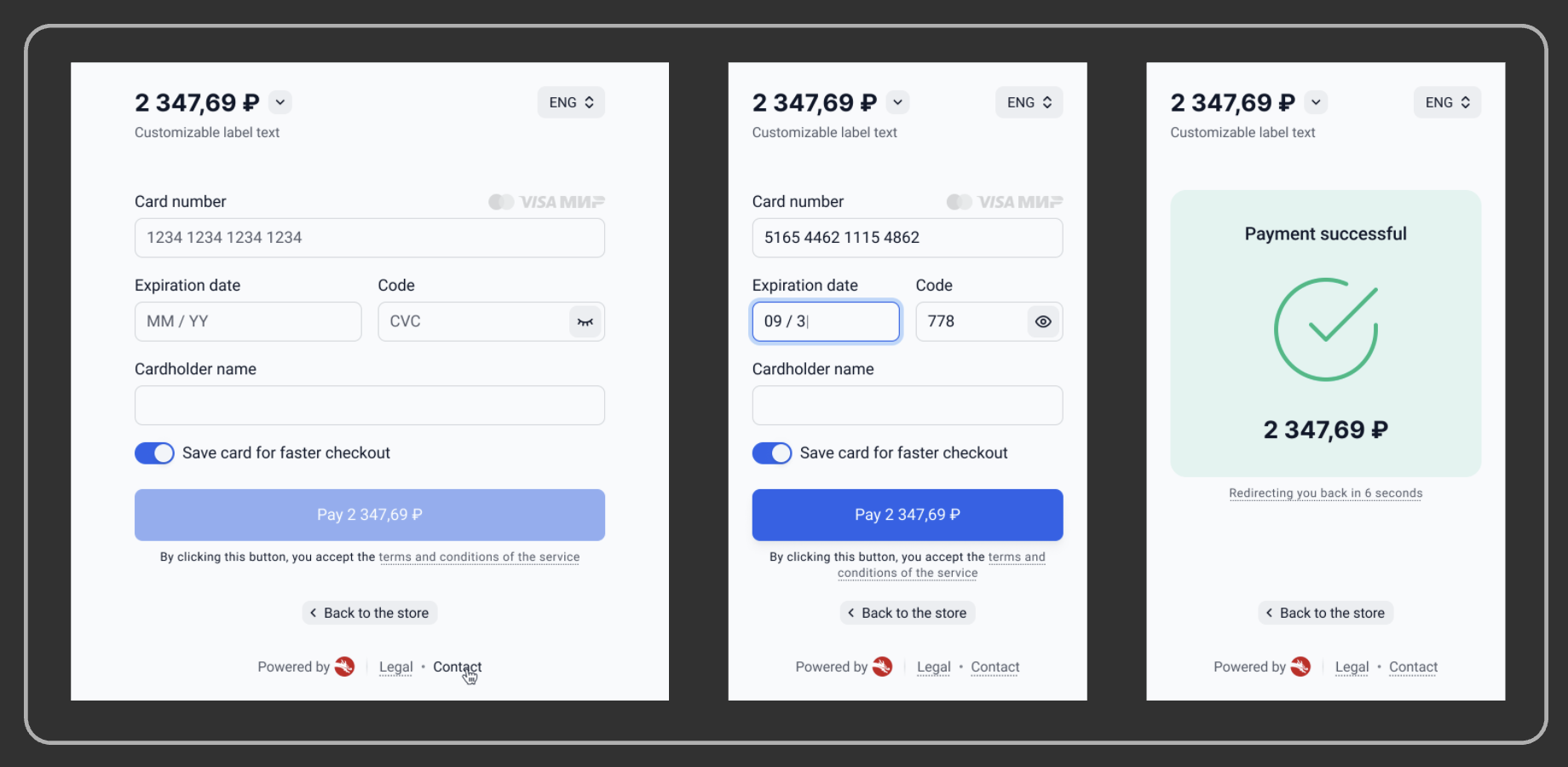
This image is for reference purposes only. The final appearance and configuration of the checkout form may vary and can be customised based on your requirements.
Host-to-Host vs Hosted Checkout - Key Differences
| Aspect | Host-to-Host (H2H) | Hosted Checkout |
|---|---|---|
| Who handles the checkout flow | Merchant / PSP | Our platform |
| Main request object | Payment | PaymentIntent |
| Payment details provided upfront | Yes | No, payer completes them later on the checkout form |
| When the actual Payment is created | During the initial API request | After the payer starts and completes the checkout flow |
| Typical use case | Merchant fully controls the payment experience | Merchant redirects the payer to our hosted checkout form |
Supported Payment Methods
| Payment Method | Availability Status |
|---|---|
 Bank Cards Bank Cards | 🇷🇺 Russia (RUB) - Available 🇰🇿 Kazakhstan (KZT) - Available 🇺🇿 Uzbekistan (UZS) - Will become available later |
Checkout form customisation
How to request changesSelf-service customisation is not available.
All changes are applied by our team — contact your Integration Manager to request any update below.
The checkout form supports configurable language, displayed information, visual theme, external links, session lifetime, and post-payment return behaviour.
Configurable settings
Status legend: ● Available · ● Available with limitations · ● Coming soon
| Setting | Default behaviour | Status |
|---|---|---|
| Form Language | Follows the payer's browser locale. Supported: RU, ENG, System. | ● Available |
| Language Selector | Shown when locale is System; hidden if a specific language is forced. | ● Available |
| Appearance | Follows the payer's OS theme. Supported: light, dark, system. Selector shown when system; hidden if a specific theme is forced. | ● Available |
| Store Name | Hidden. Shown when the merchant's store name is configured on the account. | ● Available |
| Order Number | Hidden. When enabled, sourced from clientReferenceId on the Intent. | ● Coming soon |
| Order Description | Sourced from description on the payment Intent first, then the parent Intent. Hidden if neither is supplied. No explicit toggle. | ● Coming soon |
| Terms & Conditions URL | Link hidden unless a URL is supplied. | ● Available |
| Privacy Policy URL | Link hidden unless a URL is supplied. | ● Available |
| Legal URL | Link hidden unless a URL is supplied. | ● Available |
| Contacts URL | Link hidden unless a URL is supplied. | ● Available |
| Powered By Section | Shown — defaults to "Powered by Carusell" if no custom text is supplied. | ● Limited — text only, no logo. |
| Session Lifetime | 20 minutes. After expiry, the session is unusable and a new Intent is required. | ● Available |
| Back to Store Button | Hidden. Requires a return URL on the Intent — without it, the button cannot be shown. | ● Available |
| Auto-redirect to Store | Disabled. The completion screen stays until the payer leaves. | ● Coming soon |
| Auto-redirect Delay | Depends on Auto-redirect to Store. | ● Coming soon |
Updated 3 months ago