
Refund: Create New
Related API Reference
API Reference: Create a Refund
Overview
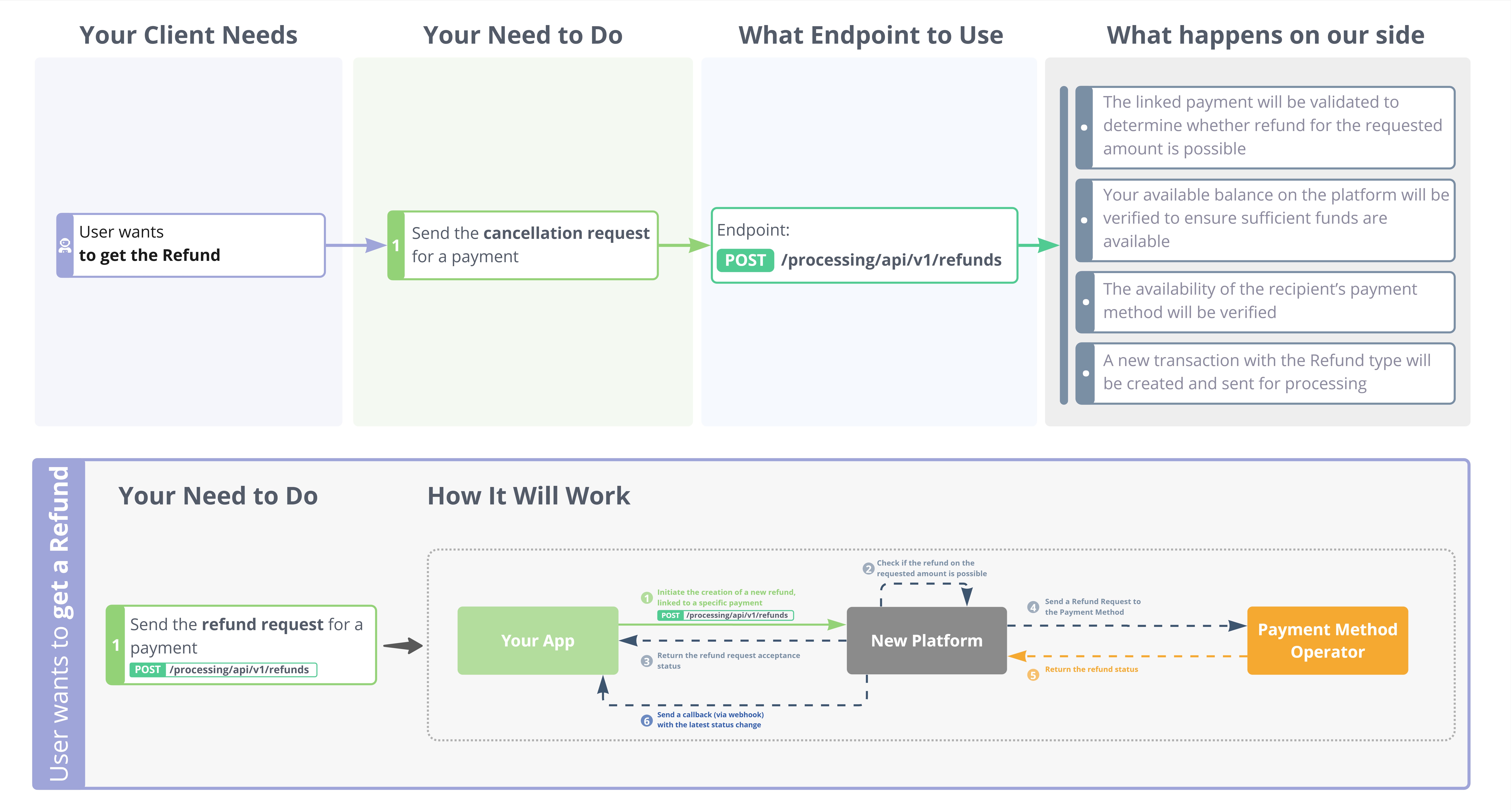
- When you need to return funds to a payer, you initiate a refund request against the original payment transaction.
- A refund represents the reversal of a previously completed payment and is always tied to that specific transaction.
- The refund process involves internal validation (e.g. transaction eligibility, account balance) and subsequent submission to the Payment Method Operator.
How It Works
Refund to Another Phone/Bank
By default, a refund returns funds to the original payment source. For the SBP payment method you can instead route the refund to a specified phone number and bank by adding two optional fields to the Create a Refund request. This works for both full and partial refunds.
Availability of this option is configured per settlement account. Confirm with your manager whether it is enabled for your account before using these fields.
The following optional fields are added to the create-refund request:
| Field | Type | Required | Description |
|---|---|---|---|
recipientPhone | string | Payer phone number the refund is routed to, in international format (e.g. +79161234567). SBP only. | |
recipientBankCode | string | Code of the recipient bank. Obtain it from the SBP banks list. SBP only. |
Routing a refund to another phone and bank is a two-step flow:
- Call Get SBP Banks with the original
paymentIdto retrieve the list of supported banks and theirbankCodevalues. - Create the refund as usual, adding
recipientPhoneand the selectedrecipientBankCode.
sequenceDiagram
  participant C as Client
  participant P as Carusell
  C->>P: GET /refunds/.../sbp/banks?paymentId
  P-->>C: 200 banks[] + effectiveDate
  Note over C: pick bankCode for the payer bank
  C->>P: POST /refunds + recipientPhone, recipientBankCode
  P-->>C: 200 GetRefundResponse
Updated 5 months ago
Did this page help you?